
Choosing the Right Domain and Email Package
Choose the right domain and email package for home or business use. Compare features, costs and support to avoid problems later on.
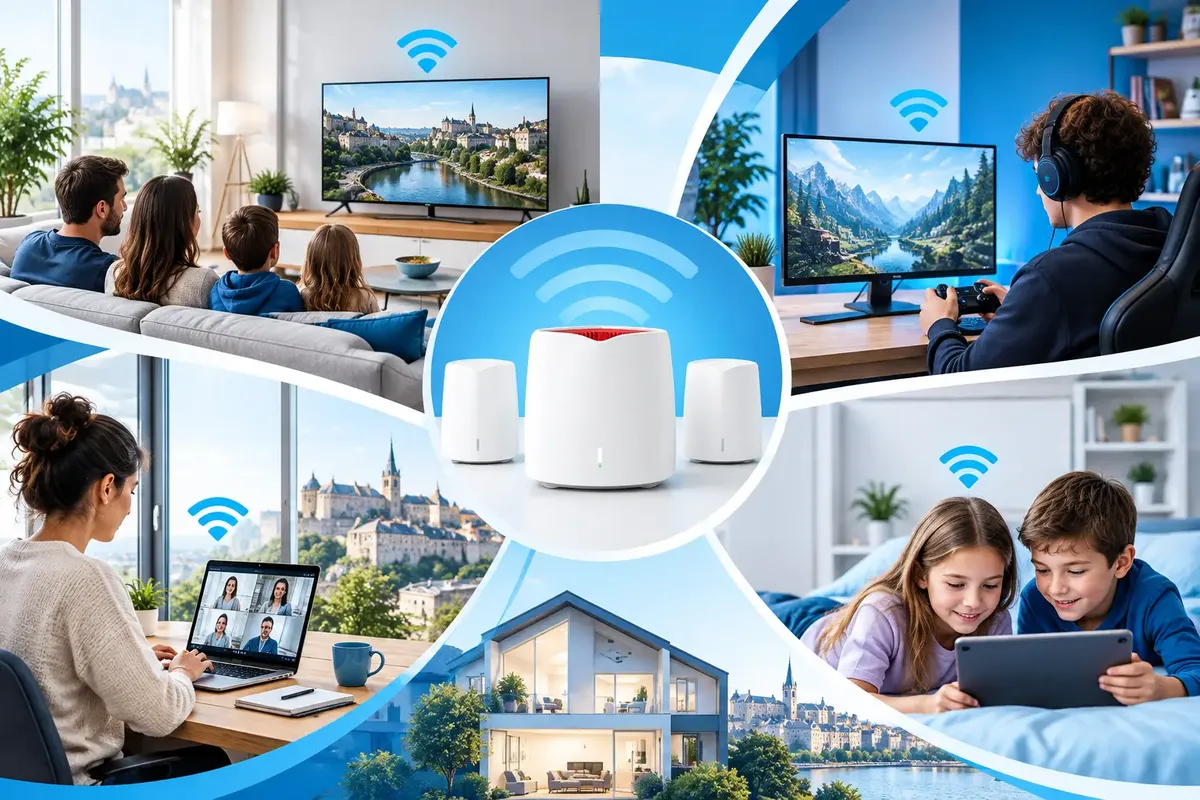
A fast fibre connection can still feel slow in the room where you actually use it. The usual culprit is not the line coming into your home. It is Wi-Fi trying to cross reinforced concrete, thick walls, floors and a kitchen full of appliances. This FRITZ mesh review looks at whether a FRITZ! Mesh setup is a sensible answer for households that need dependable coverage, rather than another box with flashing lights.
FRITZ! hardware has a practical advantage: its routers, repeaters and compatible Wi-Fi devices are designed to work as one home network. That matters when several people are streaming, gaming, making video calls and watching TV at the same time. The aim is simple - strong Wi-Fi where you need it, with less manual fiddling.
A mesh network uses more than one Wi-Fi access point to cover a home. One compatible FRITZ! device acts as the central controller, often called the Mesh Master. Additional repeaters or access points extend the network while sharing the same network name and password.
In a basic setup, your phone might cling to the router upstairs even when you are standing beside a repeater in the living room. A properly configured mesh is better at guiding compatible devices towards the strongest useful connection as you move around the home. FRITZ! calls this Mesh Steering.
The distinction is worth making. Mesh does not create more speed than your internet connection provides. It improves how reliably that connection reaches the places where your family works, watches and plays. If the Wi-Fi signal at the far end of a flat is poor, a good mesh arrangement can make a much bigger difference than changing to a faster package alone.
The best part of FRITZ! Mesh is that it feels like one network rather than a collection of separate Wi-Fi zones. You do not have to choose between “HomeWiFi”, “HomeWiFi_Ext” and another mysterious network created three years ago by somebody with a paperclip. A single name makes daily use much less awkward.
Setup is also generally straightforward when the equipment is compatible. The router can pass Wi-Fi settings to a repeater, so there is less chance of entering a slightly different password or selecting different security settings by accident. The central interface gives you a clearer view of which devices are connected and how the mesh components relate to each other.
For a family home, this consistency is useful. A video call in the study should not be interrupted because someone begins streaming in the lounge. A console in a bedroom should not have to rely on a weak signal travelling through two walls and a floor. Mesh will not eliminate every source of interference, but it gives the network a better layout to work with.
FRITZ! equipment also tends to suit people who want some control without turning home networking into a weekend project. The interface provides useful detail for those who want it, while the everyday experience remains fairly plain: connect devices once, then let the network do its job.
Whether a phone, laptop or tablet changes access point at the right moment depends partly on the device itself. Modern devices usually handle this well. Older Wi-Fi hardware can be stubborn and may hold on to a weaker signal for longer than anyone would like.
That is not unique to FRITZ! Mesh. It is a normal limitation of Wi-Fi, where both the network and the connected device play a part. If one older laptop seems slow while everything else works well, test it close to the router before blaming the mesh.
The most important decision in any mesh installation is how the mesh points connect to each other. This connection is called the backhaul.
A wireless backhaul is convenient. Place a repeater in an area that still receives a strong signal from the main router, and it can extend coverage into the next room or floor. For many smaller homes, that is enough.
But a repeater cannot work miracles. If you place it in a dead zone, it has very little useful signal to repeat. It may show full bars to nearby devices while still delivering disappointing performance back to the router. Position it roughly between the router and the weak area, not at the absolute edge of coverage.
Where possible, connect a compatible mesh access point by Ethernet. This gives the Wi-Fi point a wired path back to the router and keeps more wireless capacity available for your devices. It is particularly worthwhile for larger houses, homes with concrete floors, and rooms used for gaming or regular video meetings.
If your home has Ethernet sockets, use them. They are not glamorous, but neither is restarting a video call because the Wi-Fi has decided the hallway is a better place to work from.
FRITZ! Mesh makes most sense when you already use, or plan to use, compatible FRITZ! hardware and want a coherent home network. It is less compelling if you only have a very small flat with good router placement and no actual coverage issue. In that case, a well-positioned single router may be all you need.
It is also worth checking the age and capability of each device. Not every older FRITZ! product supports the same Wi-Fi standards or mesh functions. A setup is only as capable as its slowest major component, especially if an older repeater is responsible for serving a busy part of the home.
There is a cost question too. Adding hardware is sensible when it solves a real problem, not because “mesh” sounds like an automatic upgrade. Start by identifying where the connection fails: the bedroom, terrace, home office or TV corner. Then add coverage for that area with a clear purpose.
For homes with difficult construction, a site-specific approach is better than guessing. A long narrow house and a compact modern flat may need completely different placement, even if both have the same internet subscription.
Start with router placement. Keep the main router as open and central as your fibre connection allows. A closed cabinet, the floor behind the television, or a corner next to large metal objects are all poor places for Wi-Fi. Higher is usually better, within reason.
Next, test the connection in the rooms that matter. Do this at the times you actually use the network, not only on a quiet weekday morning. Walk through the home while streaming a video or making a test call. Look for consistency, not just a single impressive speed-test result beside the router.
If you add a repeater, begin with one. Place it where it has a good link to the main router, then test again. More mesh points are not always better. Too many poorly positioned wireless nodes can add complexity without improving the experience.
Keep the system updated and avoid mixing random extenders from different brands where possible. A coherent setup is easier to manage, easier to troubleshoot and more likely to hand devices over cleanly. For wired devices such as a games console, desktop computer or TV box, Ethernet remains the most dependable option.
FRITZ! Mesh is a strong option for homes that need wider, more consistent Wi-Fi coverage without managing separate networks in every room. Its real value is not a fashionable label. It is the combination of central management, compatible hardware and sensible device handover.
The trade-off is that results depend heavily on placement, building materials and the quality of the connection between mesh points. A wireless repeater placed badly will still be a wireless repeater placed badly. Where cabling is available, use it.
For households in Luxembourg setting up fibre in a new home, tested FRITZ! hardware can be a sensible starting point. Visual Online can help match the equipment to the home rather than treating every property as if it had the same walls. The best network is the one you stop thinking about while everybody gets on with their evening.
Choose the right domain and email package for home or business use. Compare features, costs and support to avoid problems later on.
See the top benefits of a static IP for home internet, from reliable remote access to simpler smart-home setup, plus when a dynamic address is enough too.
Dedicated IP versus shared IP explained: see how address reputation, email delivery, hosting costs and control affect your Luxembourg business choices.

